




Hygiena CalCheck: Verify Calibration Confidently
When it comes to hygiene monitoring, confidence in your results starts with a well-calibrated instrument. While Hygiena’s Luminometers are built to be smart and reliable, even the best tools require a quick double-check now and then.
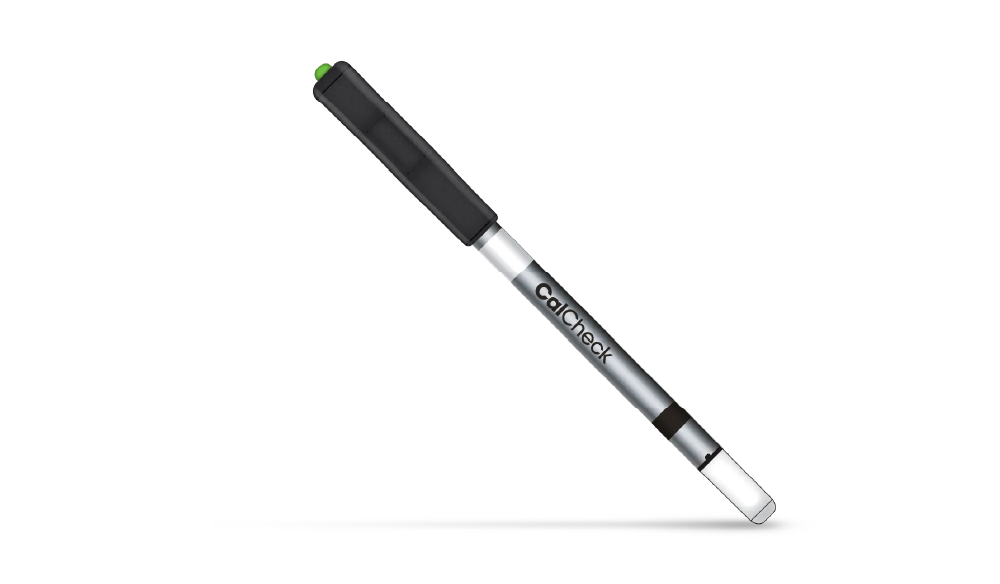
That’s where CalCheck comes in. This small, reusable device helps you verify your luminometer’s accuracy in under a minute – no complications, just the push of a button.
Let’s walk through what CalCheck is, how it works, and why it’s a smart addition to your quality control toolkit.
What is a CalCheck?
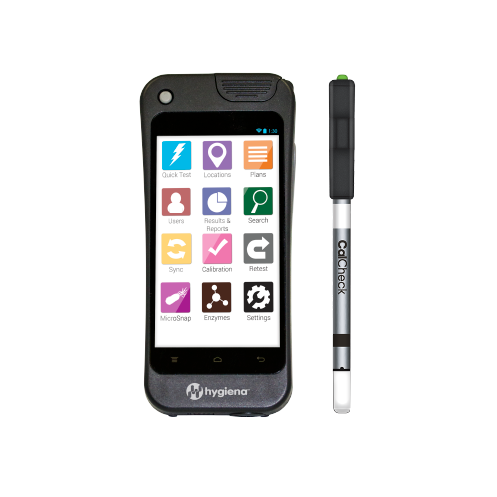
CalCheck is a compact, easy-to-use device made by Hygiena, designed specifically for calibrating and verifying luminometers like the SystemSure or EnsureTouch. It is reusable, powered by standard batteries and best of all, runs a test in seconds.
Even though Hygiena’s luminometers already run a self-check each time they start up, many quality control programs want an extra layer of certainty. That’s where in-house calibration checks come in. CalCheck enables you to verify that it is properly calibrated and does not detect false signals.
What CalCheck does
The CalCheck delivers both a positive and a negative control, all in one device, at the press of a button.
Here’s what it does:
When powered on, the CalCheck emits a green LED light for three seconds, serving as a positive control to verify that your luminometer can accurately detect light.
When powered off, the CalCheck functions as a negative control to detect background light leakage or potential sensor calibration issues in the luminometer.
Using the luminometer with the Ensure Touch
Ready to use it? The first step is to prepare the device, ensure the CalCheck is stored at room temperature (10–25°C / 50–77°F). If the item has been stored in extreme conditions, such as direct sunlight, heat or freezing temperatures, allow it to acclimate at room temperature for 30 minutes before use.
Please Note: Do not twist or bend the device.
To perform the calibration, check on the EnSURE™ Touch
Turn on the EnSURE™ Touch luminometer.
Tap the Pink Check Calibration App.
Follow on-screen instructions:
– Run the negative control check
– Run the positive control checkThe results are automatically stored on the device and uploaded to SureTrend™ Cloud when connected to Wi-Fi.
Please Note: That you’ll need to wait 2 minutes between positive checks to avoid battery drain.
To negative check
Negative Check: 1close lid
Press “OK” to initiate measurement
Record initial negative CalCheck RLU 1
To postive check
Insert CalCheck into the luminometer
Press the button on the CalCheck cap to turn the device on
The button will glow green to confirm activity. (If the button glows red or remains dark, the battery should be replaced. See Battery Replacement.
What are the benefits of the CalCheck?
As well as receiving reliable results within two steps in less than one minute, there are many more benefits to CalCheck, these include:
Records Calibration Results: Allowing you to be audit-ready with a history of recorded calibration results.
Compatible with Hygiena Devices: Designed to be used for all Hygiena devices, which increases efficiency and saves money.
Uses Standard Batteries: To simplify handling, there is no need for complex batteries
Why you might need a CalCheck
Conclusion
In a world where accuracy is everything, CalCheck gives you peace of mind in less than a minute. It’s easy to use, reliable, and ensures your luminometer is providing you with the data you can trust day in and day out.
No matter the tasks you are completing, ensure your readings are accurate with CalCheck.